· Education & Use Cases · 7 min read
AI Diagram Generator for Educators: Simplify Teaching Complex Systems
Teaching abstract concepts like recursion or architecture is hard without visuals. Learn how an AI diagram generator for education acts as your personal teaching assistant, creating clear visuals in seconds.
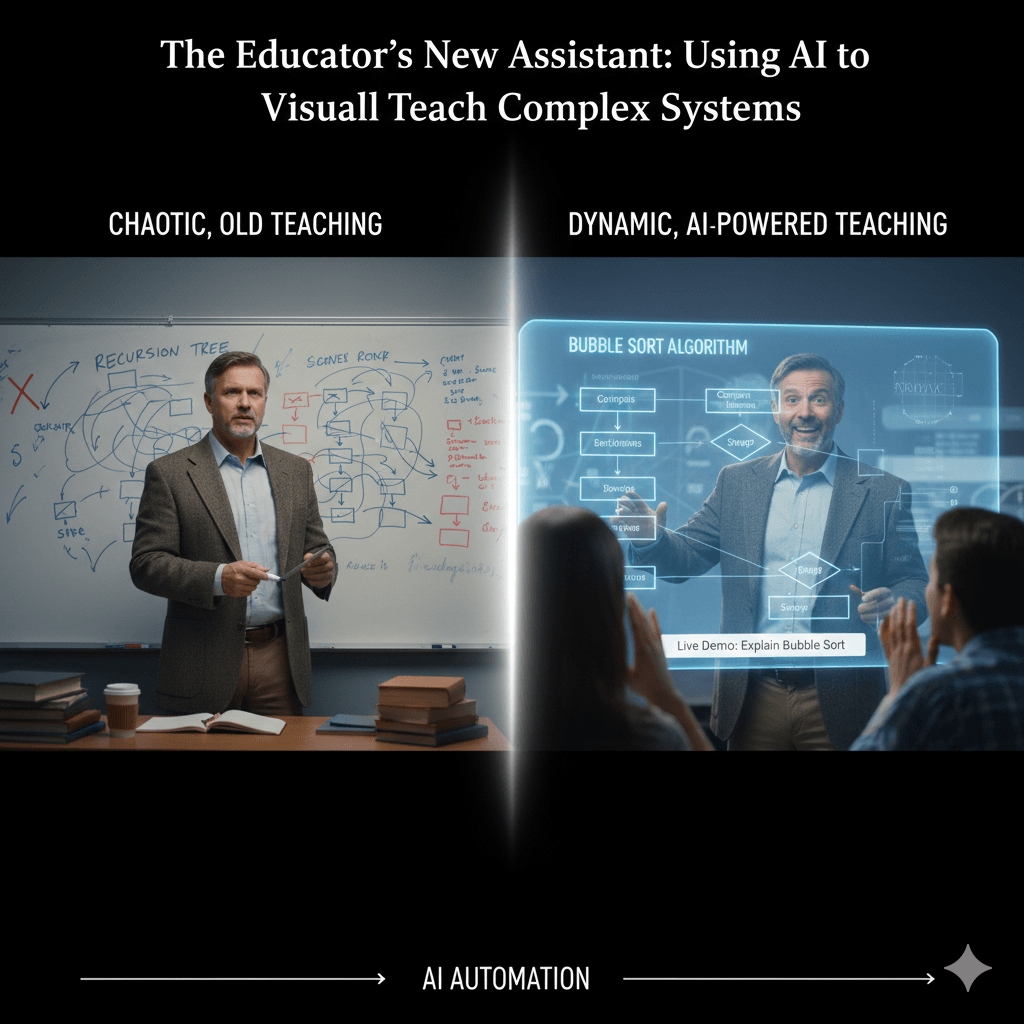
I think any of us who have ever tried to teach a technical subject have had this moment. You are standing in front of a class, trying to explain a truly abstract concept. Maybe it’s a recursion tree, or a client server architecture, or a binary search algorithm. You’re at the whiteboard, marker in hand, and you start drawing boxes and lines. But the drawing gets complicated, you have to erase a line that you realize is wrong, and the whole thing starts to look more like a chaotic scribble than a clear explanation. You can feel the students’ attention start to drift. You know a good diagram would make it all click, but creating one on the fly is hard, and creating a great one for your slides takes hours you just don’t have.
Tl;Dr
If you’re short on time, here’s the main point. AI diagram generators are a game changer for educators. They save teachers countless hours on the tedious work of creating visual aids for complex topics. You can now build diagrams live during a lecture just by describing them, create polished handouts in minutes, and even design new kinds of assignments where students learn to communicate their logic clearly. It’s a tool that helps make abstract computer science and engineering concepts much easier for students to see and understand.
Know more about the Ultimate guide to AI diagram generators
Introduction: The Challenge of Teaching the Abstract
As an educator, your most valuable resource is time. Time for lesson planning, time for grading, and most importantly, time for actually engaging with your students. Yet, so much of that precious time gets eaten up by the administrative chore of creating course materials. And let’s be honest, one of the most time consuming parts is making high quality, accurate diagrams.
The irony is that these visual aids are not just nice to have; for many topics in science, technology, engineering, and math, they are absolutely essential. Trying to explain a data structure like a linked list using only words is almost impossible. Students need to see it.
The problem has always been this trade off. You could either spend hours fighting with PowerPoint or some other drawing tool to create a polished diagram, or you could sketch something quickly on the whiteboard that might not be very clear or accurate. What if that trade off no longer existed? AI diagram generators are becoming a revolutionary new tool for the modern educator, a kind of teaching assistant that handles the drawing so you can focus on the teaching.
Why Visuals are Critical in STEM Education
This probably isn’t news to anyone in education, but it’s worth repeating. There’s a lot of learning science that shows that visual explanations are incredibly powerful. They help students connect abstract ideas to more concrete models, which improves not just their immediate comprehension, but their ability to remember the concepts long term. A single, well designed diagram can often convey more information and clarity than several paragraphs of text.
But a bad diagram can do the opposite. A confusing visual with misaligned boxes and tangled lines can create more confusion than it solves. This is why the automated polish and consistency of an AI generated diagram is so important. It ensures the visual is a help, not a hindrance.
5 Practical Classroom Uses for an AI Diagram Generator
This isn’t just a theoretical idea. There are some very practical, immediate ways this technology can be used in the classroom.
1. Live, In-Lecture Demonstrations
Imagine you’re moving beyond a static slideshow. You’re explaining a process, and as you describe each step, a flowchart appears and builds itself on the projector screen in real time.
For example, you could say to the class, “Today we’re going to trace a bubble sort. We start by comparing the first two elements in our list…” As you speak, you type a simple prompt, and the diagram appears, visually reinforcing the logic as you explain it. This turns a passive lecture into a more dynamic and engaging demonstration.
2. Effortless Creation of Course Materials
This is perhaps the most obvious benefit. The hours you used to spend creating diagrams for lecture slides, for lab handouts, or for your online course modules can be reduced to minutes. You need a UML Class Diagram for your object oriented programming lesson? You just need to describe it.
Prompt Example: “Generate a UML class diagram showing a ‘Vehicle’ superclass with ‘Car’ and ‘Bicycle’ subclasses that inherit from it.”
Suddenly, a task that might have taken half an hour is done in thirty seconds, and the result is clean, professional, and consistent with all your other materials.
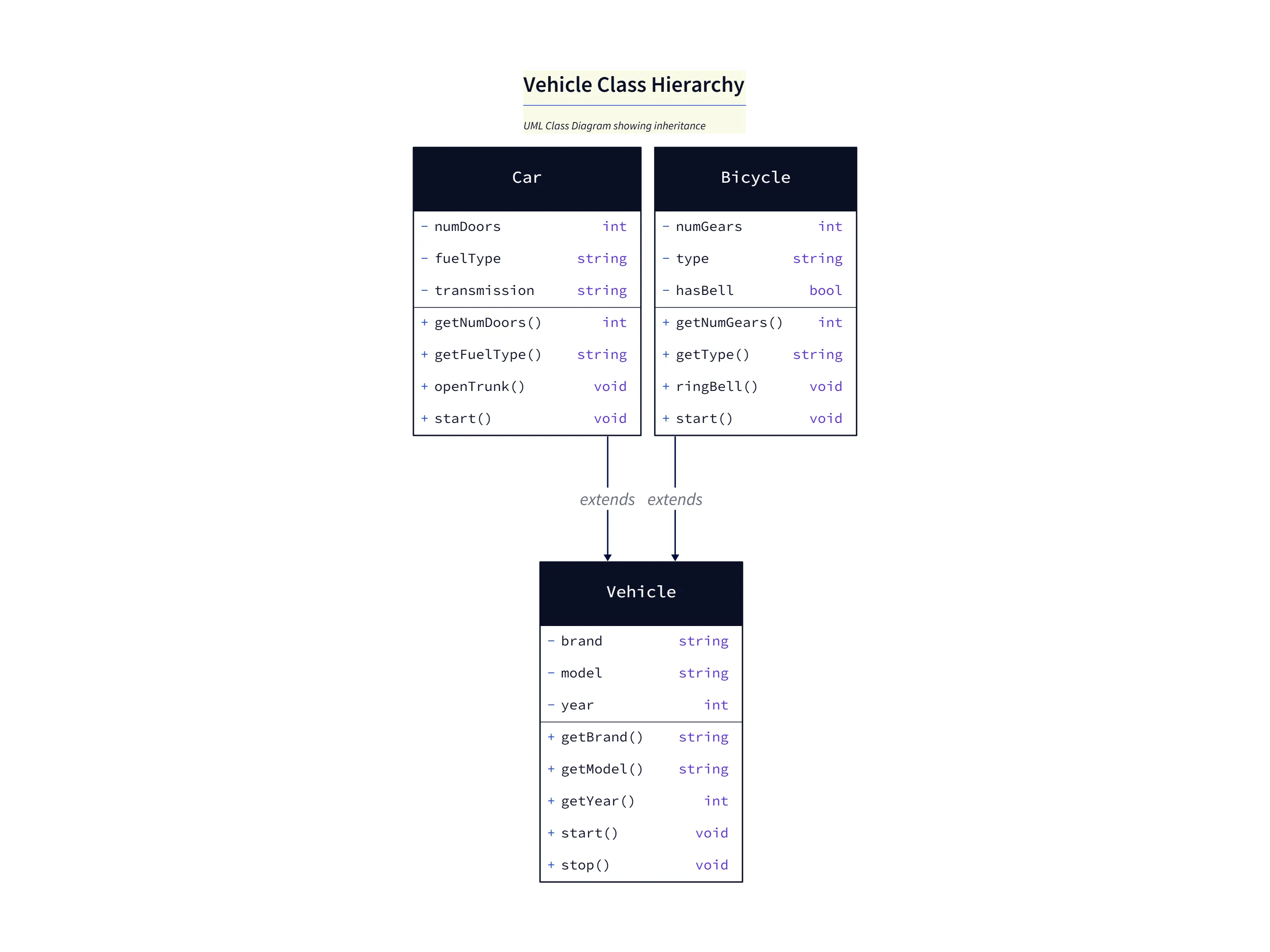
This UML diagram illustrates inheritance and class responsibilities in a concise example:
Vehicle(superclass): shared attributes likebrand,model,yearand common methods such asstart()andstop().CarandBicycle(subclasses): extendVehiclewith specific fields and behaviors (e.g.,CaraddsnumDoorsandopenTrunk(),BicycleaddsnumGearsandringBell()).- Teaching tip: Ask students to add a method to each subclass and explain how polymorphism lets code treat
Vehicleinstances uniformly while subclasses provide specialized behavior.
3. Innovative Student Assignments
This is where things get really interesting. You can flip the model. Instead of asking your students to draw a diagram of a process, you can ask them to write a perfectly clear, step by step description of it. Their submission is the text itself. You can then grade them based on how accurately the AI can generate a correct diagram from their description.
This does something amazing. It shifts the focus from drawing skills to the much more important skills of clear communication, logical thinking, and attention to detail.
4. Deconstructing Code Visually
For computer science students, understanding how code actually executes can be a challenge. You can take a snippet of code, maybe a simple web request in Python or a recursive function, and use a code to diagram tool. It can automatically generate a sequence diagram that visually shows the students the flow of function calls, the passing of data, and the return values. It makes the invisible “call stack” visible.
To know more details about this, check out this AI Sequence Diagram
5. Preparing Students for the Real World
Finally, you can introduce your students to the modern tools they will actually be using in their future careers. System design is a huge part of technical interviews, and the ability to clearly visualize and communicate an architecture is a critical skill. By using a tool like this in the classroom, you are not just teaching the academic concepts; you are preparing them to succeed in their first job interviews and beyond.
Read more about System design interview
Quick Tutorial: Diagramming a Simple if-else Statement
Let’s look at a very basic, relatable example for a teacher who is new to this idea. You want to create a visual for one of the first concepts in programming: a simple conditional statement.
You could simply type the following prompt into AIDiagramMaker:
Prompt: “Create a flowchart for a simple program that checks if a student’s grade is greater than or equal to 50. If it is, show ‘Pass’. If not, show ‘Fail’.”
In seconds, the AI will generate a perfect flowchart. It will have an oval for the start, a rectangle for the input, a diamond for the “grade >= 50?” decision, and two separate paths leading to the “Pass” and “Fail” outcomes. It’s simple, clear, and takes almost no effort.
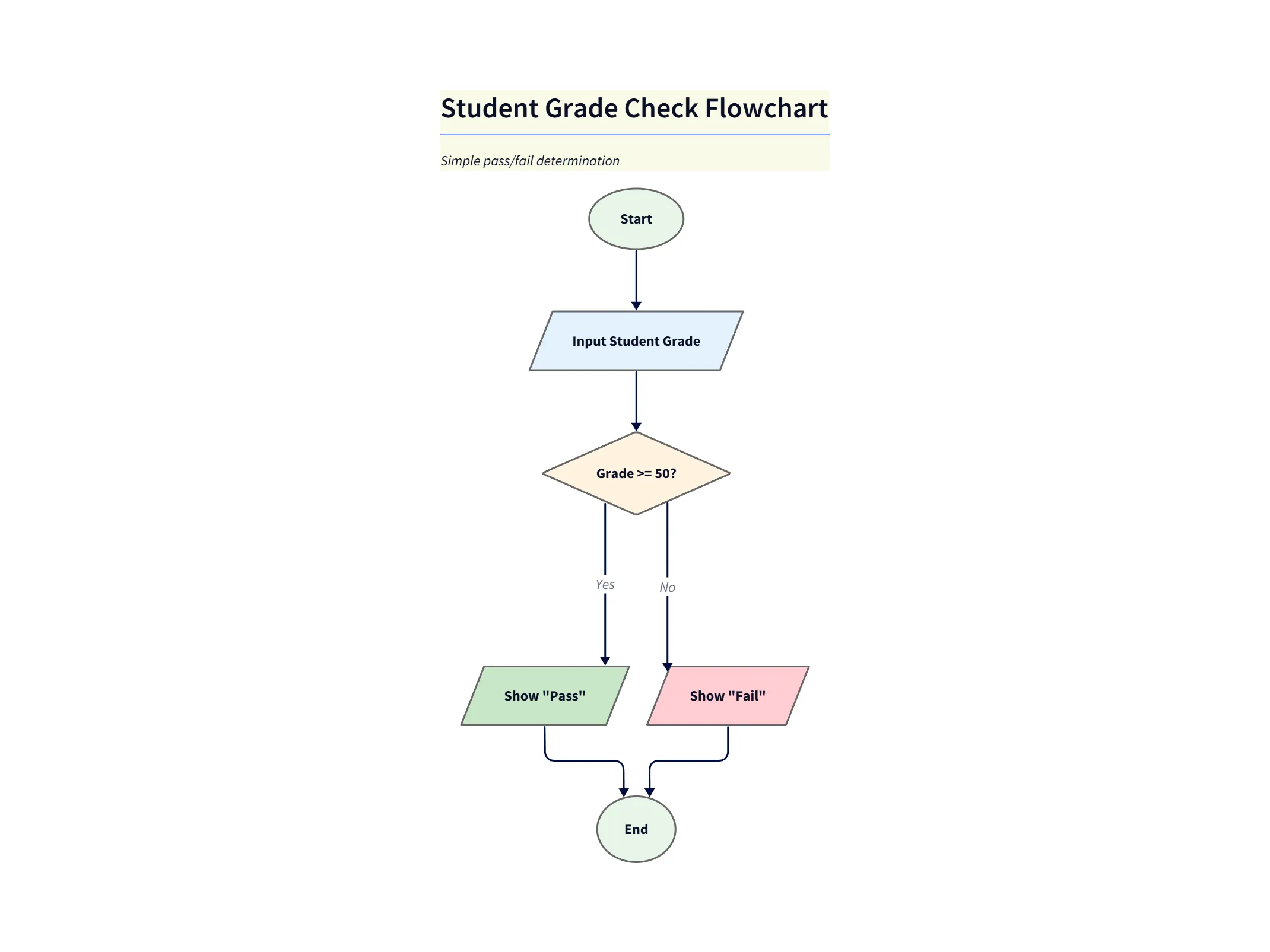
This flowchart demonstrates a basic conditional control flow used to teach boolean logic:
- Input: read the student’s numeric grade.
- Decision: test
grade >= 50(diamond node) to branch execution. - Outcomes: follow the “Pass” path if true, otherwise the “Fail” path; both converge to the end node.
- Teaching tip: Have students convert the flowchart to pseudocode or a small function and trace it with sample grades to verify behavior.
Explore more about: AI Flowchart Diagram
Conclusion: Focus on Teaching, Not on Drawing
The core value here is empowerment. An AI diagram generator is a powerful assistant that automates one of the most time consuming parts of creating educational content. It’s a tool that saves you countless hours, helps you create more engaging and dynamic lessons, and ultimately improves your students’ comprehension of difficult subjects.
It’s a modern tool for modern teaching that lets you get back to what you do best: inspiring and educating your students.
Elevate your teaching materials and engage your students visually. Sign up for the AIDiagramMaker free plan and create your first lesson diagram today.